We listened.
Here's what's new.
Over the past months we've worked closely with families, individuals and support providers to understand what would make Knowing Me™ even better. Every feature below came directly from those conversations.
10+
New features
50+
Users consulted
3
Provider partners
1
Goal: peace of mind
Families told us they needed less friction, more visibility, and smarter tools for their whole support team. We built every one of these features with that in mind.
Gabsy Slonim
Founder, Knowing Me™
10 features shaped by our community
Smarter Acting-As Experience
Family members and carers can now see exactly who they're supporting at all times. A persistent banner on every screen shows which dependant you're acting as, with a one-tap 'Switch back' action available from anywhere in the app.
Never lose track of which profile you're in
Privacy Consent Built Into Onboarding
We've added a clear privacy consent step to the onboarding flow. Users are informed about how their data is used before setting up their profile — giving families full confidence their information is handled with care.
Transparency from day one
Support Dashboard
A brand-new dashboard for manager users gives a full overview of their support network. Browse, filter and manage users in one place, adjust roles, and export data — all designed to reduce admin and help teams run smoothly.
Designed hand-in-hand with service providers
Improved Chat & Messaging
Chat is getting a major upgrade. Unread message badges, smarter notifications, file and document sharing (PDF & Word), and a more intuitive overall experience — so your whole support team stays connected.
Share documents directly in chat
Notification Centre
A new dedicated Notification Centre gives you a clear view of everything happening across your support network. Customise which alerts matter to you, with read/unread status, custom sounds and push notification controls.
You decide what matters
Global Search
Find anything, instantly. The new global search lets you search across your entire profile — routines, medical details, contacts, documents and more — so you spend less time hunting and more time caring.
Everything at your fingertips
Routines, Redesigned
Routines are now faster and more flexible. Quick-add shortcuts, drag-and-drop reordering, and a smoother overall experience make building and following daily routines easier than ever for both individuals and their carers.
Consistency made simple
Document Handling
Upload, view and download important documents directly within the app. Reports, care plans, referral letters — keep everything organised and accessible to the right people, right when they need it.
No more email chains for documents
Wellbeing Check-Ins
A new daily wellbeing check-in lets individuals share how they're feeling using simple emoji-based prompts, with the option to add a voice or text note. Carers and support workers can see recent check-ins to better understand how someone is doing.
Feelings that are heard
Richer Personal Profiles
Profiles now include more ways to express who someone is — hobbies, goals, communication preferences, behaviours, education history and more. Because great support starts with truly knowing the person.
More than a care record — a portrait of a person
See version 2.2 in action
Real screens from the app now on the App Store and Google Play.
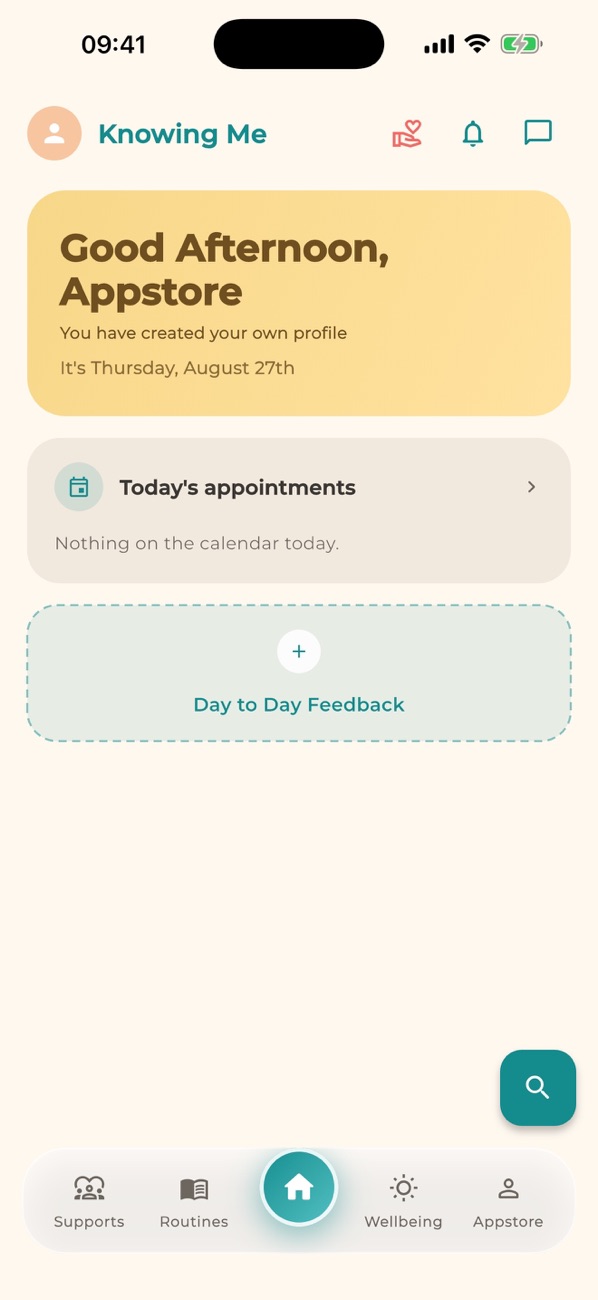
Home Screen
Today's appointments and day-to-day feedback on a personalised home screen.
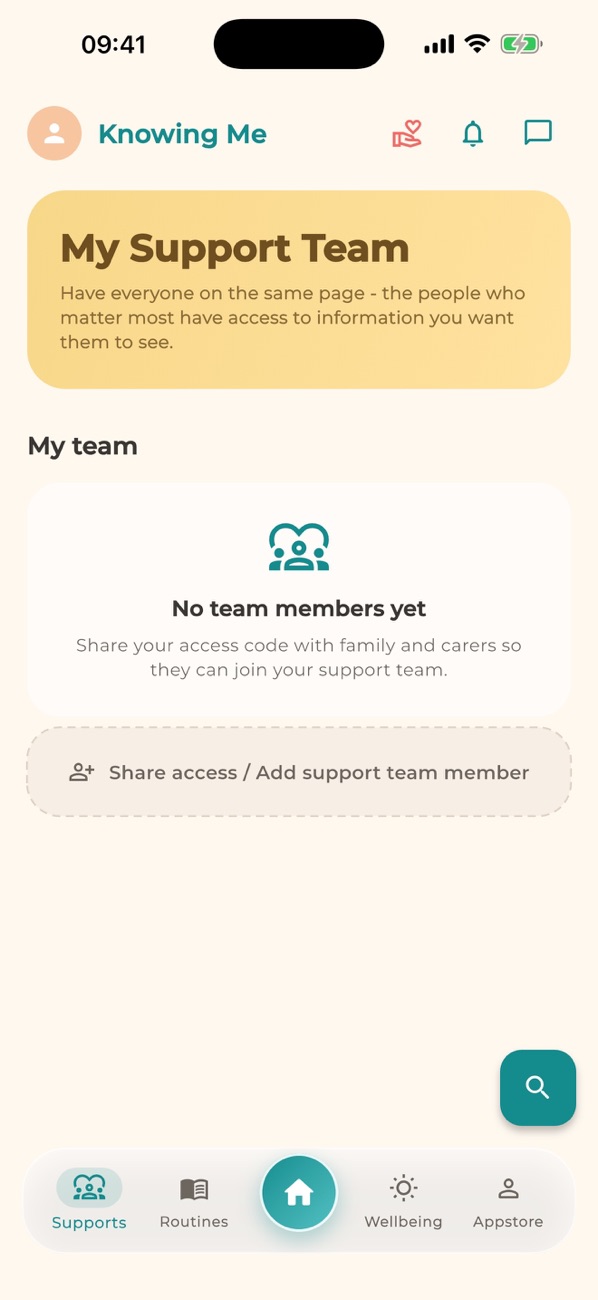
My Support Team
Invite family, carers and professionals, or share an access code so they can join.
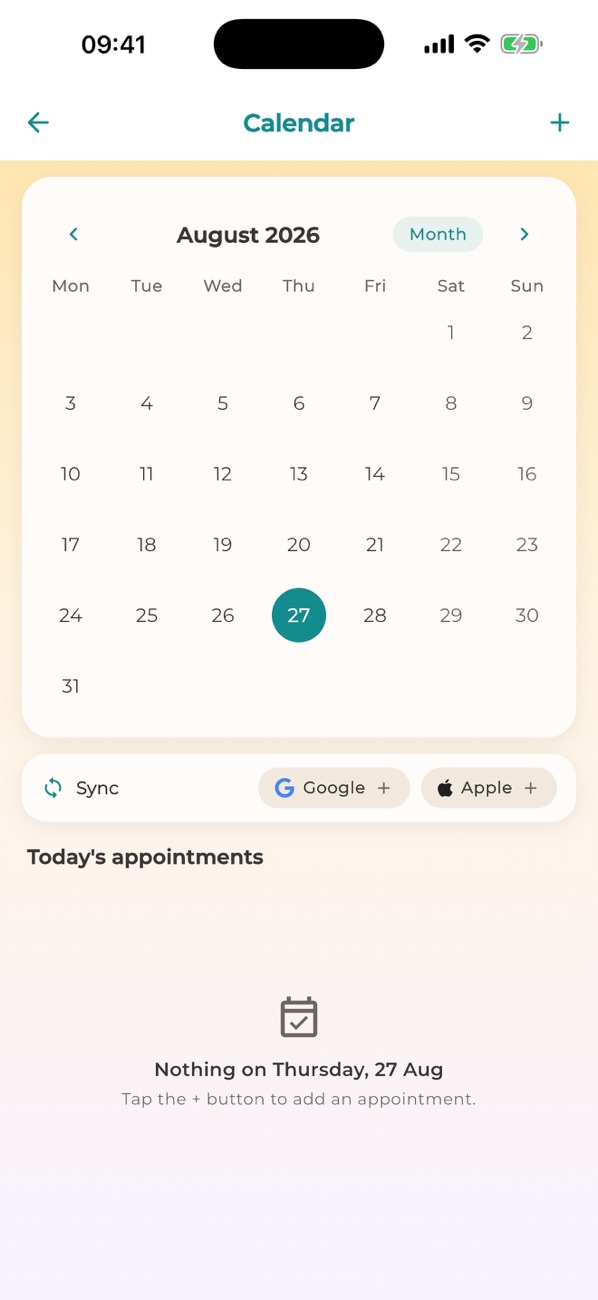
Calendar
Appointments on a monthly calendar, with optional Google Calendar events alongside.
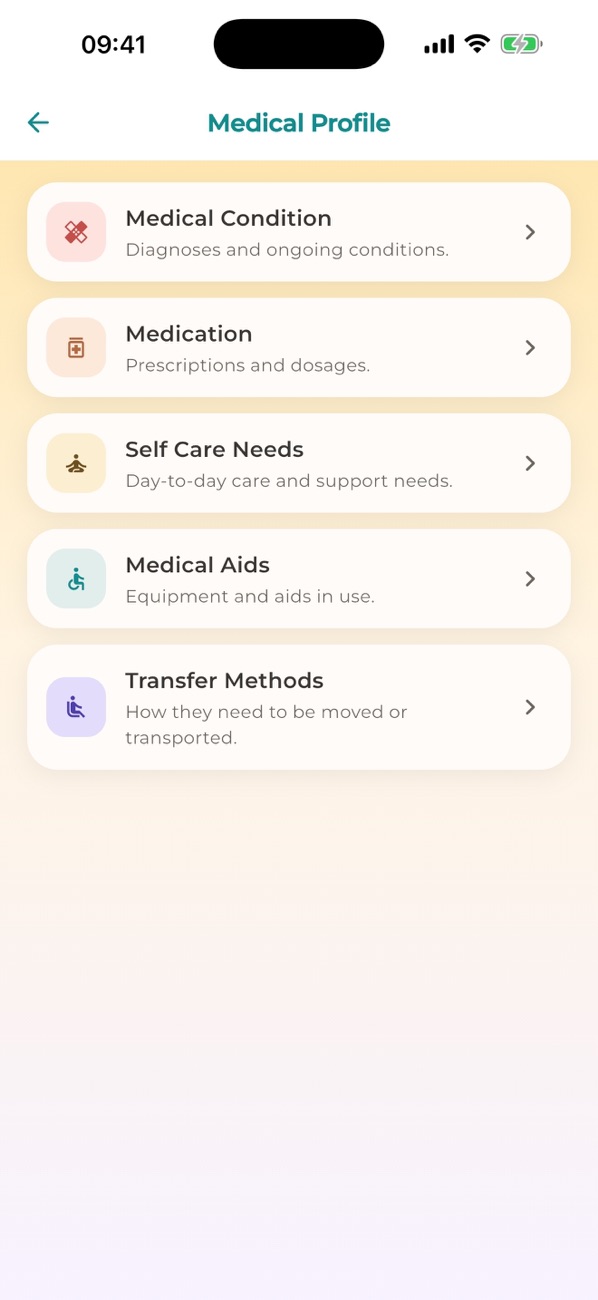
Medical Profile
Conditions, medications, self-care needs, medical aids and transfer methods.
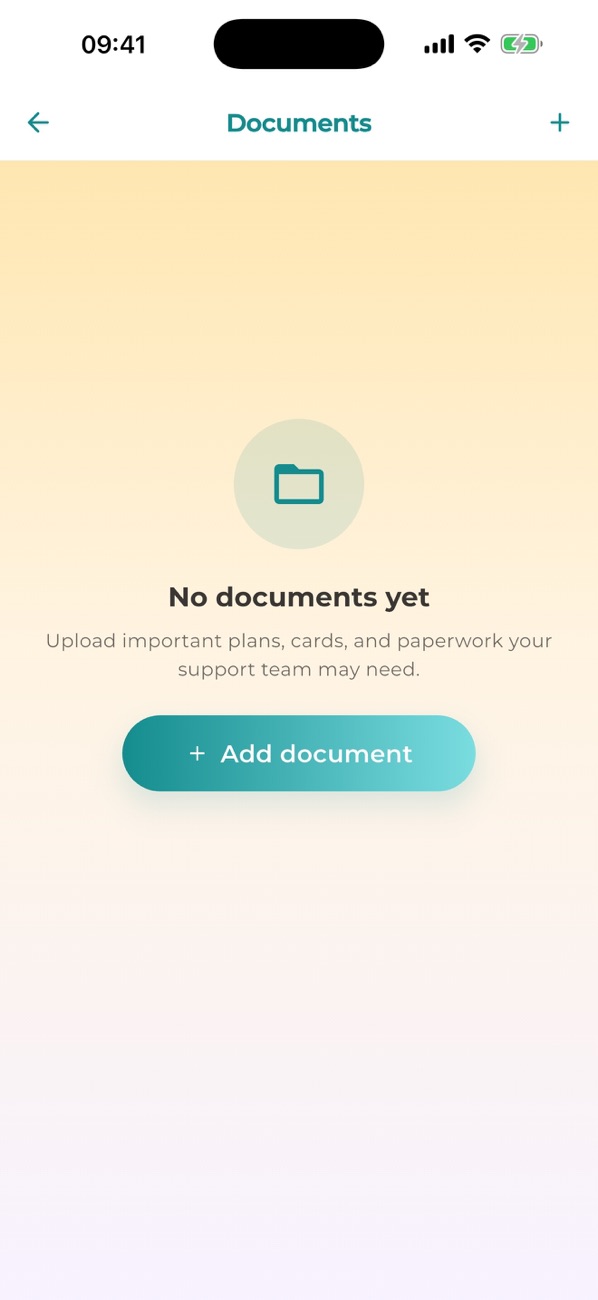
Documents
Upload plans, cards and paperwork your support team may need.
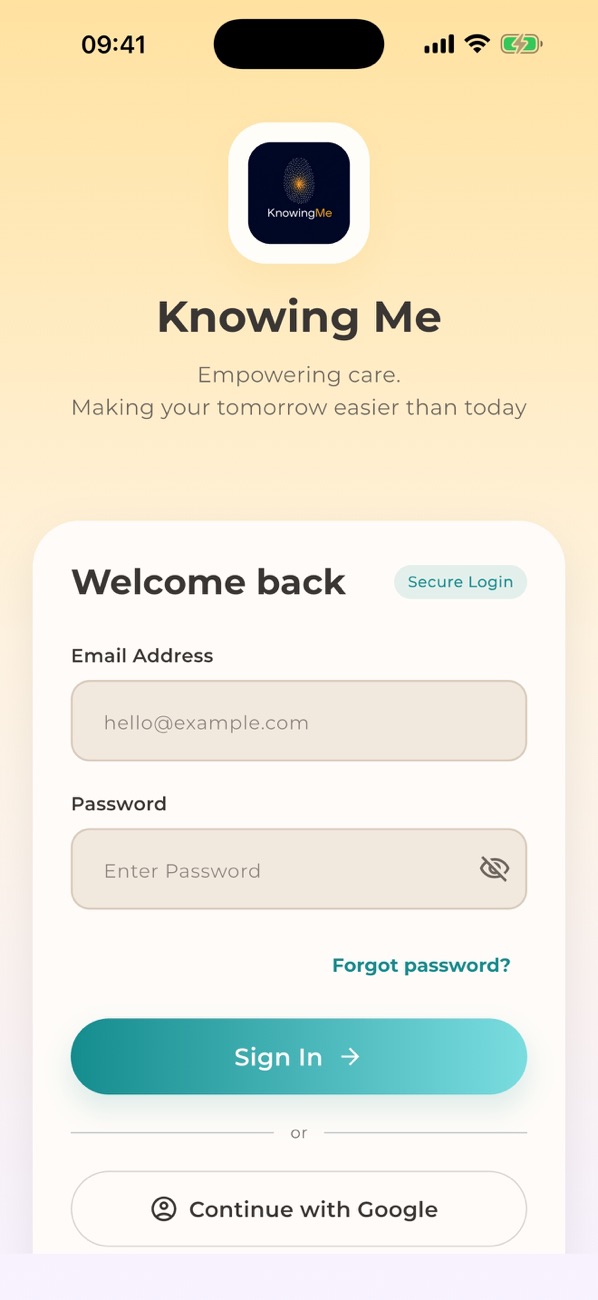
Secure Sign-In
A secure login, with the option to continue with Google.
Knowing Me Premium
Everything in Knowing Me, plus AI that helps you organise and speak up, tools to plan ahead, and a direct connection with your clinic and care provider.
AI that works for you
Your personal advocate
An AI assistant that knows your profile, explains things in plain English and helps you prepare for appointments and speak up for yourself.
Record your appointments
Record an appointment and keep the recording and transcript. Suggested updates to your profile are shown for you to check — nothing is saved until you approve it.
Smart document upload
Upload letters, plans and reports in one go. The app reads them and suggests what to add to your profile, for you to review.
Your data, your copy
Download everything in your profile as a readable PDF and a data file — keep it, share it, or take it with you.
More ways to plan and stay connected
Emergency plan
Build a personal emergency preparedness plan using P-CEP, the Australian person-centred framework co-designed with people with disability.
Journal & weekly recap
Keep a journal, use checklists and activity preferences, and get a weekly recap of what's happened.
Voice messages
Send a voice message to your care team when typing isn't easy.
Assessments
Keep assessments together in the profile so the right people can find them.
Connected with your providers
Clinic connection
Connect with your GP or allied health clinic and see the reports they share with you.
Visits & reports
See support worker visits, shift notes and incident reports from your care provider.
Budget & invoices
Keep an eye on your funding budget and your provider's invoices.
My Digital Twin
A private view of patterns in your own information over time. It's your choice: switch it off or delete it whenever you like.
Premium's AI features organise your information and suggest updates for you to check and approve. They don't diagnose or give medical advice — always talk to your health professionals about your care.
Three Premium tools are free to try on the website today (see them). The full paid Premium comes to the App Store and Google Play at launch.
Built with families, not just for them
Every feature in this version was co-designed through consultations with families and registered support providers across Australia.
User Consultations
We interviewed over 50 families and individuals to understand their biggest pain points and unmet needs.
Provider Feedback
Support coordinators, therapists and service managers told us what they needed to better support their clients.
Iterative Testing
Each feature was prototyped and tested with real users before a single line of production code was written.
Want to help shape what comes next?
We're still consulting with families and providers. Your voice matters — reach out and let us know what would make the biggest difference to your life.